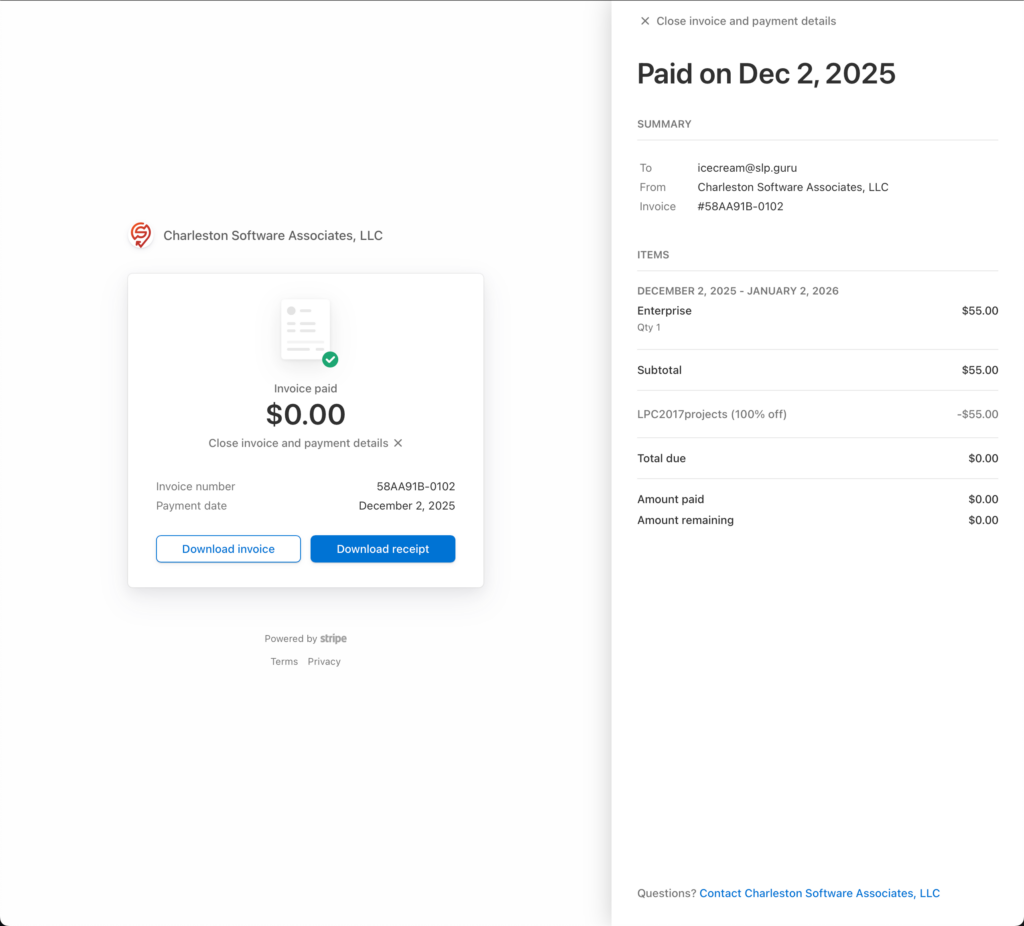
You can easily check your Store Locator Plus® payments for the SaaS subscriptions as well as WordPress plugins. The Premium Subscription for WordPress plugins is not the same as the SaaS Subscription.
The SaaS subscription provides access to our hosted location maps and directory platform. Our servers host the data and do all the computational work. Your website only needs a small snippet of JavaScript to render an interactive map for your visitors. This allows Store Locator Plus® to run on any web service that can serve JavaScript including Ghost, Joomla!, Shopify, Squarespace, Typo3, Weebly, Wix, and yes even WordPress.
The WordPress plugin premium subscription provides access to our primary WordPress plugins with extended features. This is for businesses running their own self-hosted WordPress sites that use plugins to add Store Locator Plus®. It requires your business to provide the WordPress hosting as well as the required map API keys where Google will bill you directly for map rendering and location lookup.
Keep in mind that these are completely separate systems and have different login locations for each service.
SaaS Platform
Login to your Store Locator Plus® SaaS account at https://dashboard.storelocatorplus.com or via the Store Locator Plus® SaaS | Sign In link on the top menu at the main Store Locator Plus® website.
Click on the My Profile sidebar menu entry.
Expand the Invoices section.
Click on the invoice number for the monthly invoice you wish to review.
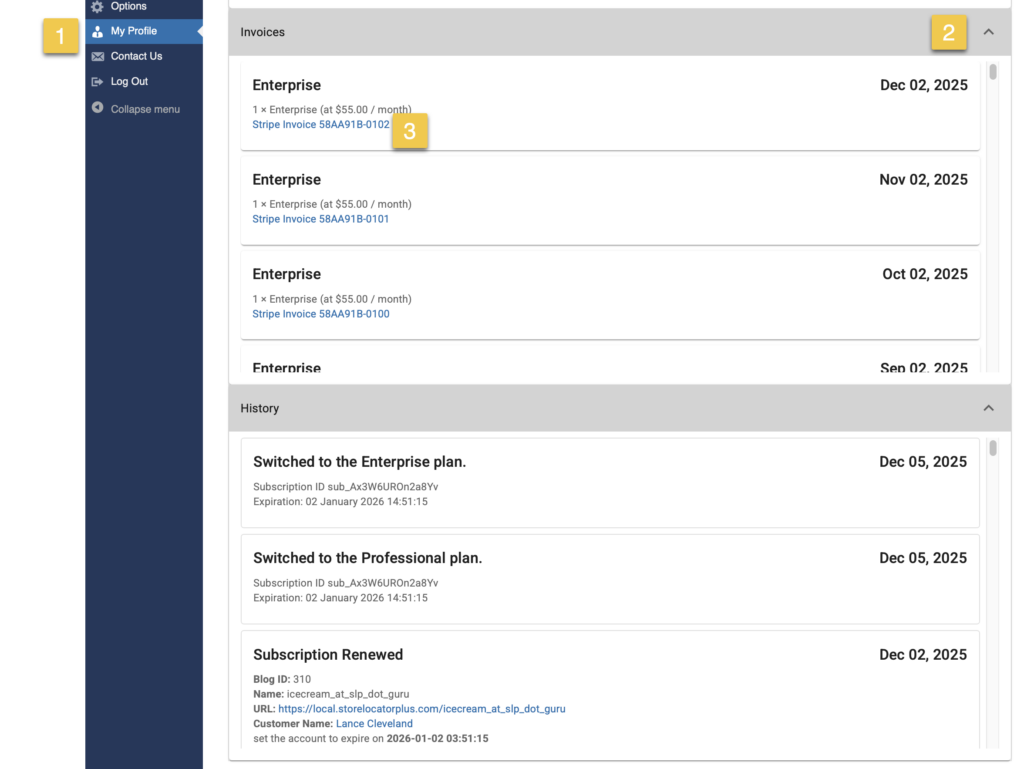
This will open a new window with the Stripe invoice displayed.
Note: Make sure your browser allows pop up windows.
Click on the View invoice and payment details link.
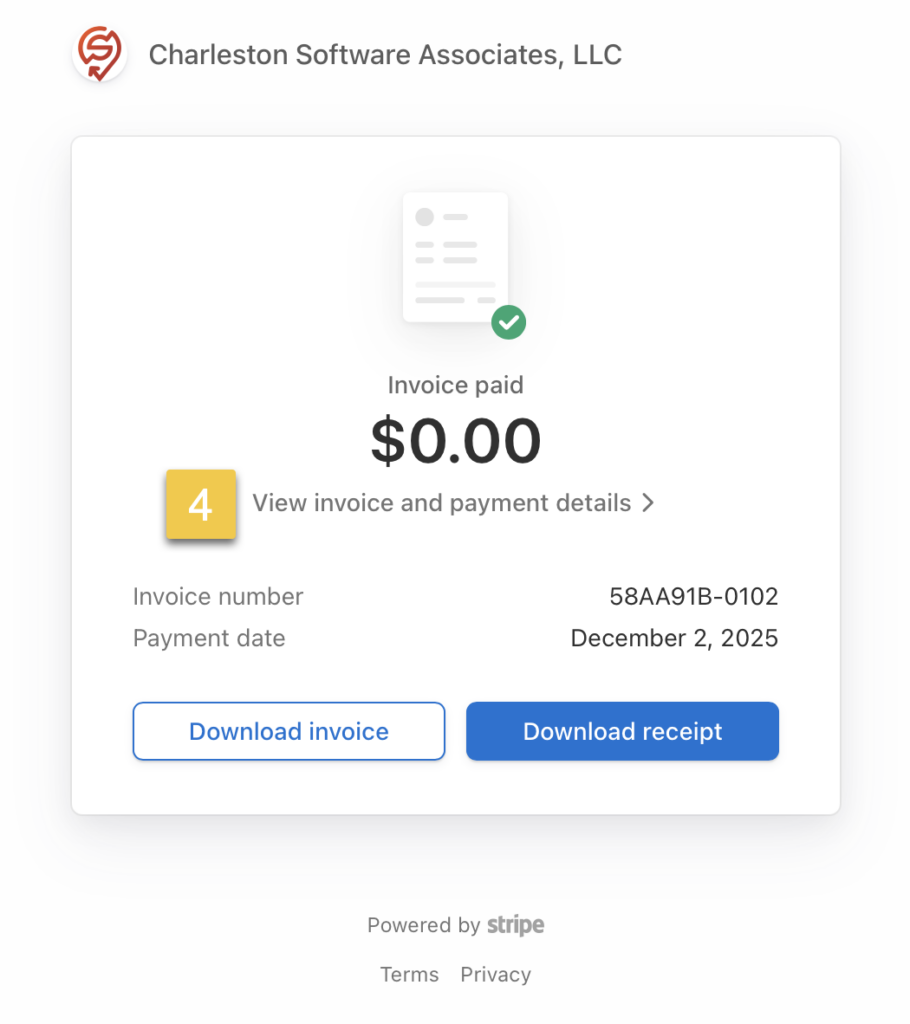
You should now see the full details for the invoice and your related payment.